
Sing in tune,
note by note.
Bring a song, sing over it, and see exactly where you went sharp, flat or late, on every note of every take. Then practise the spots that keep tripping you up.
macOS 14 or later · Apple silicon and Intel
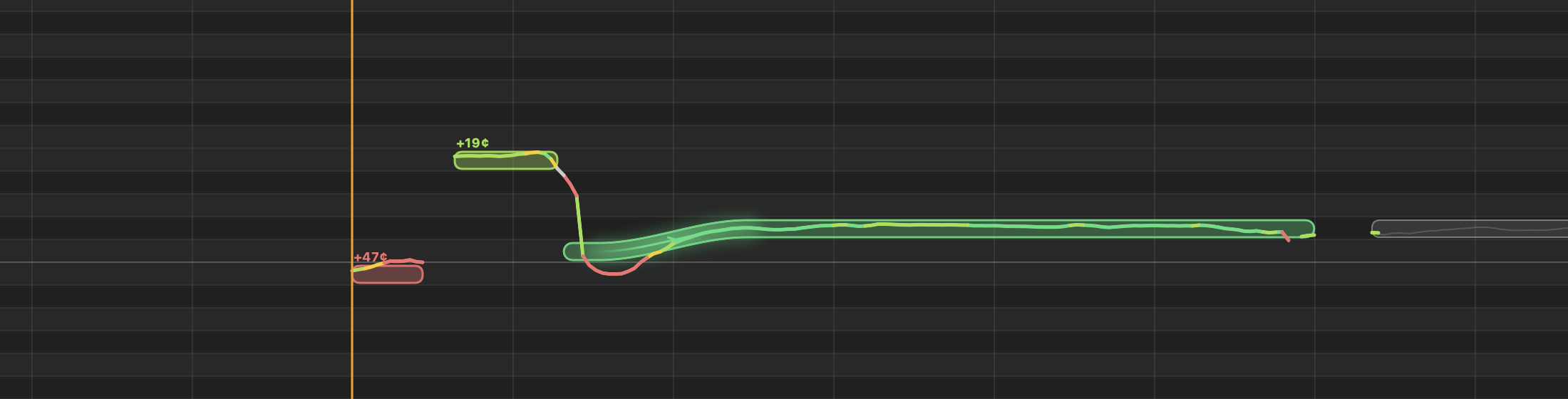
The melody, pulled from the song's own vocal, with your take on top: green is in tune, yellow close, red off.
Everything you sang, measured
Intonate finds the melody in the song, listens while you sing, and grades every note against it, so practice turns into something you can see getting better.
Graded note by note
Each take is scored note by note: in tune, close, off or missed, with how many cents and which way.
Live pitch, as you sing
A pitch meter shows the note you're on and how far off, against the note you should be singing right now.
Bends and slides
A note the singer bends from C up to C♯ is one bent note, not two. Sing the bend and it counts.
Loop it, slow it down
Loop any phrase and slow it to half speed in the same key. Tap a tempo, or let Intonate find the song's BPM.
Every take kept
Takes are grouped by day or session. Switch between them while the song plays and hear the difference.
As fast as a DAW
Your voice and the song stay on the same beat, a few milliseconds apart, through your audio interface or headphones.
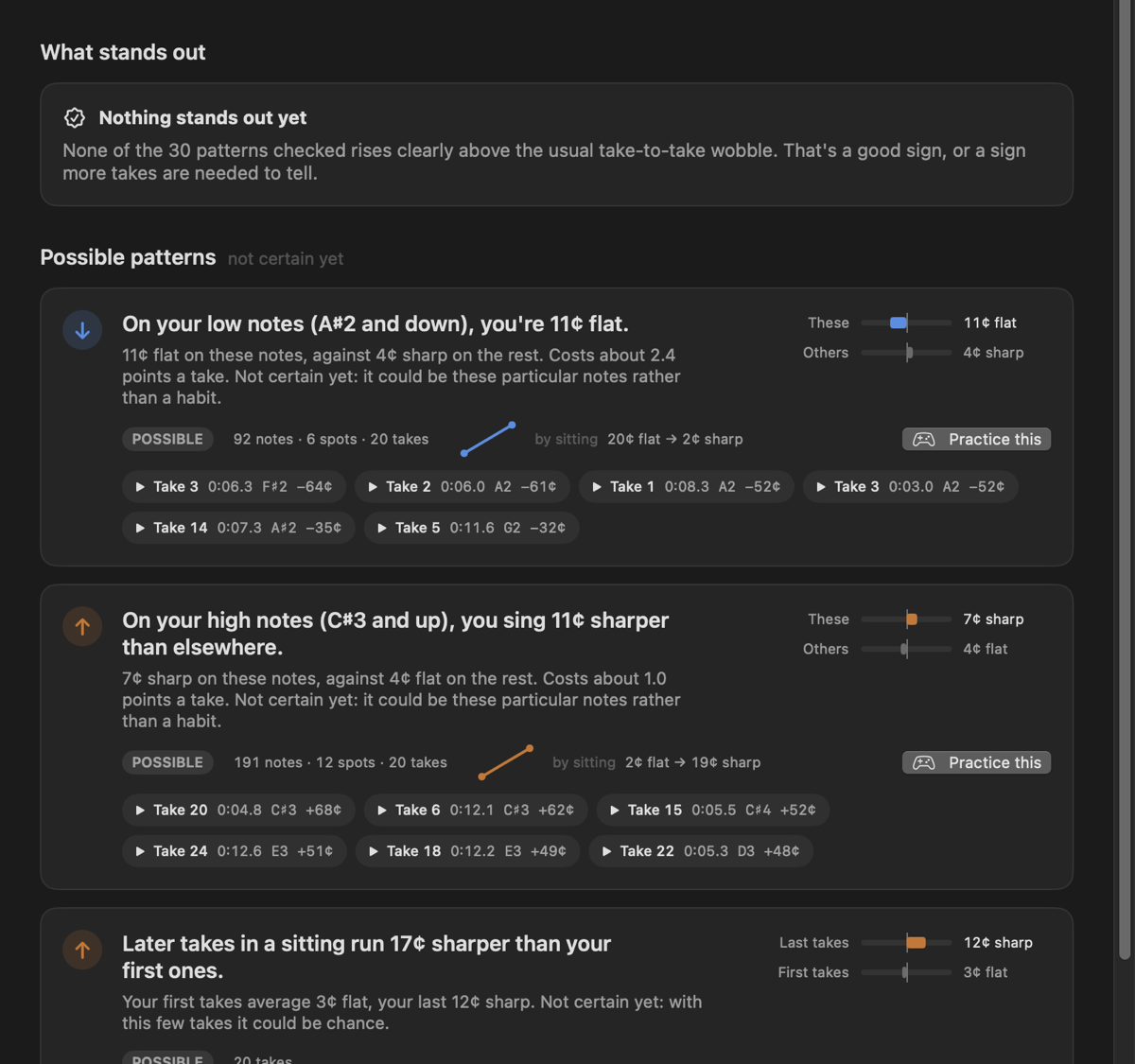
Learn your habits
Insights look across all your takes for the conditions where you drift: your low notes, leaps up, the ends of long notes, later takes in a sitting. They only tell you what the numbers back up, with how many notes stand behind each one.
Every pattern comes with examples you can play on the spot, and the trouble spots that go wrong in most takes are one click from a loop to practise.
Practice games
Between songs, train your ear and voice: match a note, sing an interval, climb a scale. Each one listens and waits until you hold the note in tune.
Good to know: finding the vocal in a song, importing from YouTube and the best melody extraction use free open-source tools that run on your Mac. Without them, Intonate works from the full mix of the song you add.